> ## Documentation Index
> Fetch the complete documentation index at: https://docs.conflux.pe/llms.txt
> Use this file to discover all available pages before exploring further.
# Enviar borrador a SUNAT
> Enviar facturas guardadas como borrador a SUNAT en conflux.pe
Nosotros enviamos AUTOMÁTICAMENTE a la SUNAT o nuestra OSE la Factura de Venta Electrónica, las Notas de Crédito y Débito Electrónicas relacionadas.
Sin embargo, en caso de emitir documentos en borrador, debe enviarlas manualmente.
¿Cómo realizarlo?
* Buscar su documento por serie / correlativo en el menú "Comprobantes".
* Seleccionar el documento.
* Presiona el botón "Validar".
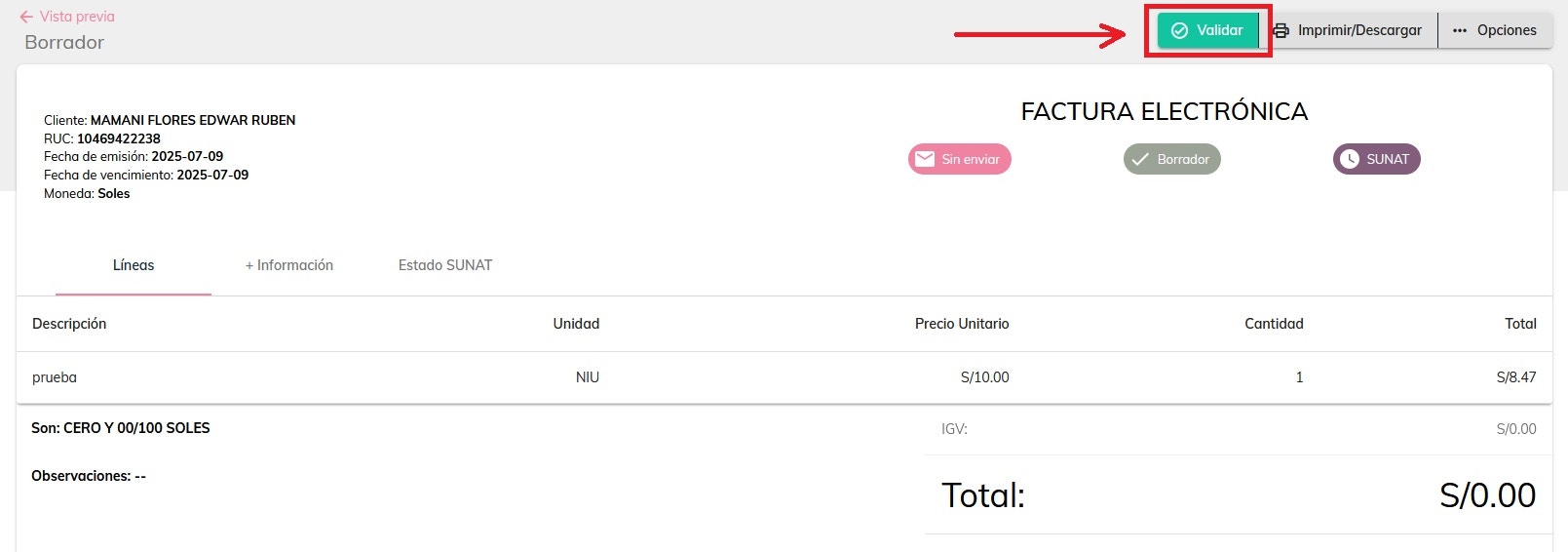 Al presionar el botón "Validar", se generará el correlativo del documento.